
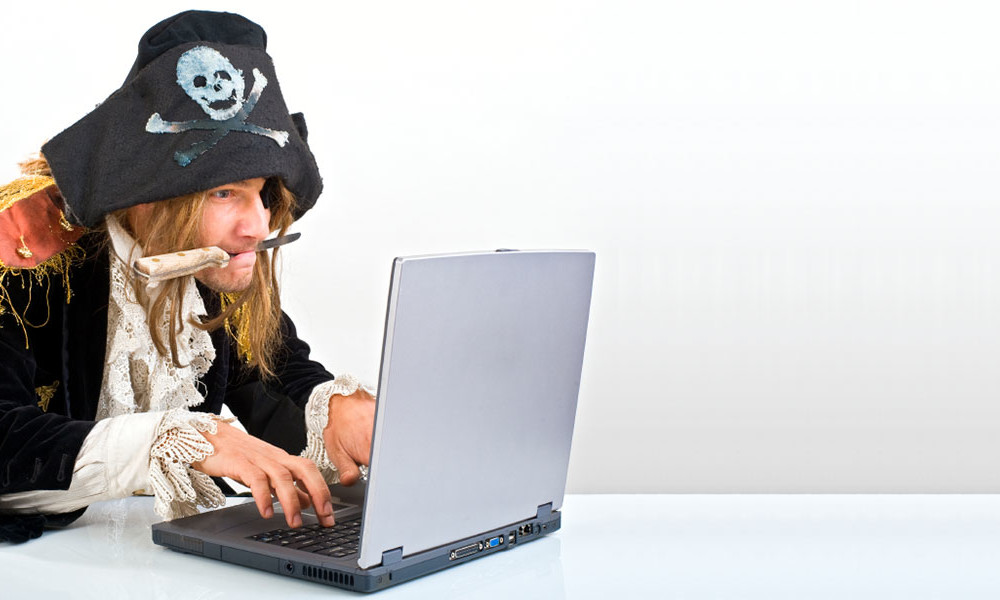

Laptop computers are a major source of personal information. As prices for notebooks and Macbooks continue to drop to record lows, more people are buying them. Having a laptop means increased mobility and the more you get around, the more likely you are to have it stolen. Once stolen, thieves can easily get into your account and take vital personal and professional information. Laptop data protection is important and doesn’t require too much of an effort on your part.
Vital Info That Thieves Love
- Auto-login information to everything (your email, online bank account, e-commerce businesses you buy from)
- Credit card info and bank statements (including checking account numbers)
- Contact info on everyone important to you
- Tax records
- Work logins, company data, employee records
- Work plans and info on the competition
- Sensitive emails
- Private photos
- Personal documents like a book you’re writing (Don’t kid yourself – thieves are skilled at taking anything and turning it into cash, like selling your book as an e-book).
The above personal info can easily be sold on the black market. Even if your laptop (or mobile phone, PDA, Blackberry, etc) is not the newest, best or most expensive, your data is still worth a lot. Your laptop doesn’t have to be valuable to make protection worthwhile.
How to Protect The Info on Your Laptop
- Lock It Up. Even when you are not travelling, the best policy is to physically lock up your laptop. You wouldn’t believe how many laptops are stolen from cars while you’re shopping, out of your computer bag while buying coffee, out of your office while you’re out and from homes while you’re on vacation. Take an extra minute to lock it up in a locking filing cabinet, a fire safe or behind a locked door. Even if it only makes it less convenient for the thief, it improves your chances that they will move on to a less prepared victim.
- Leave Your Laptop at Home. Okay, I know most of us won’t leave our laptops at home when travelling because we would be leaving our digital identity behind. But theft is even higher when travelling, so consider using your iPhone or BlackBerry to keep in touch or use the computer in the business center at your hotel (but be careful of what information you enter into it).
- Carry Less Data. If it’s critical that you keep your laptop with you, then should stop carrying data on your computer that you don’t absolutely need. If you don’t need to have client information on the hard drive, don’t put it there in the first place. Don’t keep your child’s Social Security Numbers in your contact manager or your investment account numbers in a spreadsheet. If you have an encrypted VPN connection with your company, pull the files off of your corporate network once you are at your destination. When you get to work, you get into your hotel, or you enter a meeting, make sure your key files are not there.
- Use the Hotel Safe. Most hotels provide guests with easy to use safes in your room that let you determine the combination. These are relatively safe. Sometimes your laptop won’t fit, so I suggest that you pull the hard drive out of the laptop (which is where all of the identity lives) and place that in the safe. In a pinch, place the “Do Not Disturb” sign on your door when you leave for the day to lower the chances of someone entering your room during the day. Maybe your room won’t get cleaned but you will be keeping potential thieves not just from your computer, but from any client documents, passports or intellectual capital that might be in the room. No matter how clever we are, hiding valuables is a poor option. Can’t you just picture a person who appears to be a hotel employee leisurely searching the few hiding places in your room? A thief will know every one of those spots by heart.
- Use Strong Passwords. Passwords are the primary locks on our computers. Make sure that you create an alpha-numeric-symbol-upper-lower-case password, like P@55w0rd! (do you see the hidden word that makes this easy to remember? By the way, don’t use this password). The longer the password, the better. I recommend passwords longer than 8 characters.
- Encrypt your Hard Drive. The data on your hard drive is no good if the thief can’t make any sense of it. For a very small investment, you can install software on your computer that makes it exceptionally difficult for a thief to get to your private information. Encryption turns your data into a puzzle that only your password unlocks. If you are using a company computer, check with your I.T. department before installing encryption. They may have already done it for you.
Watch Out!
Keep in mind that while your laptop may die off someday, your data may be still be accessible. That’s true with any computer. Many studies have been done with discarded computers that hard drives still contain important information which can be easily adapted for malicious use. ! When you’re read to get rid of your computer by donating it, selling it, sending it back to the IT department at work, or throwing it away, at the very least you should digitally shred the hard drive. Your computer may be old but the data stored on it will remain useful for a long time.
Portions of this article were contributed by CitynetMagazine.




RSS